Microlearning  |  Instructional Design

Mastering Email Clarity

A self paced microlearning course designed to help working adults write clearer, more effective workplace emails using a simple three step strategy they can apply during everyday communication.

Articulate Rise 360 Workplace Communication Scenario Based Learning
Mastering Email Clarity course start screen on a monitor

At a Glance

Audience

Working adults using email for workplace communication

Performance Need

Improve the quality and efficiency of workplace email communication

My Role

Instructional Design, Content & Assessment Design, Articulate Rise Development

Tools

Articulate Rise 360

Deliverables

Self Paced Interactive eLearning Course, Action Map, Visual Storyboard, Transfer Resources

Format

Self Paced Interactive eLearning

The Challenge

Email was routine. Clarity was not always consistent.

Email is part of everyday work, but writing quickly can lead to vague openings, missing or unnecessary details, unclear requests, and messages that require additional clarification.

The learning need was not a broad lesson on grammar or business writing. Learners needed a practical way to make everyday emails easier to understand and act on. The course focuses on a small set of behaviors that improve workplace communication: establish the purpose, include the information the reader needs, organize the message clearly, use professional wording, and make the next step specific.

The Approach

01

State the Purpose Early

Give the reader immediate context by clearly explaining why the message is being sent.

02

Provide Only the Needed Details

Include the information the reader needs while removing unnecessary or distracting content.

03

End With a Clear Action Step

Close with a specific request, deadline, confirmation, or next step the reader can act on.

Experience the Course

Three steps. Real email decisions. Immediate application.

The self paced experience moves learners from recognizing email problems to applying a repeatable writing strategy in realistic workplace situations. Learners begin with a pre assessment, explore the three step clarity strategy, examine the structure of an effective email, and work through scenarios, knowledge checks, before and after examples, guided practice, and a sorting activity. A final assessment checks the same core skills introduced at the beginning, while downloadable resources give learners tools they can use after the course.

Launch Course →
Mastering Email Clarity course start screen

Design Process

From communication problem to observable writing behavior.

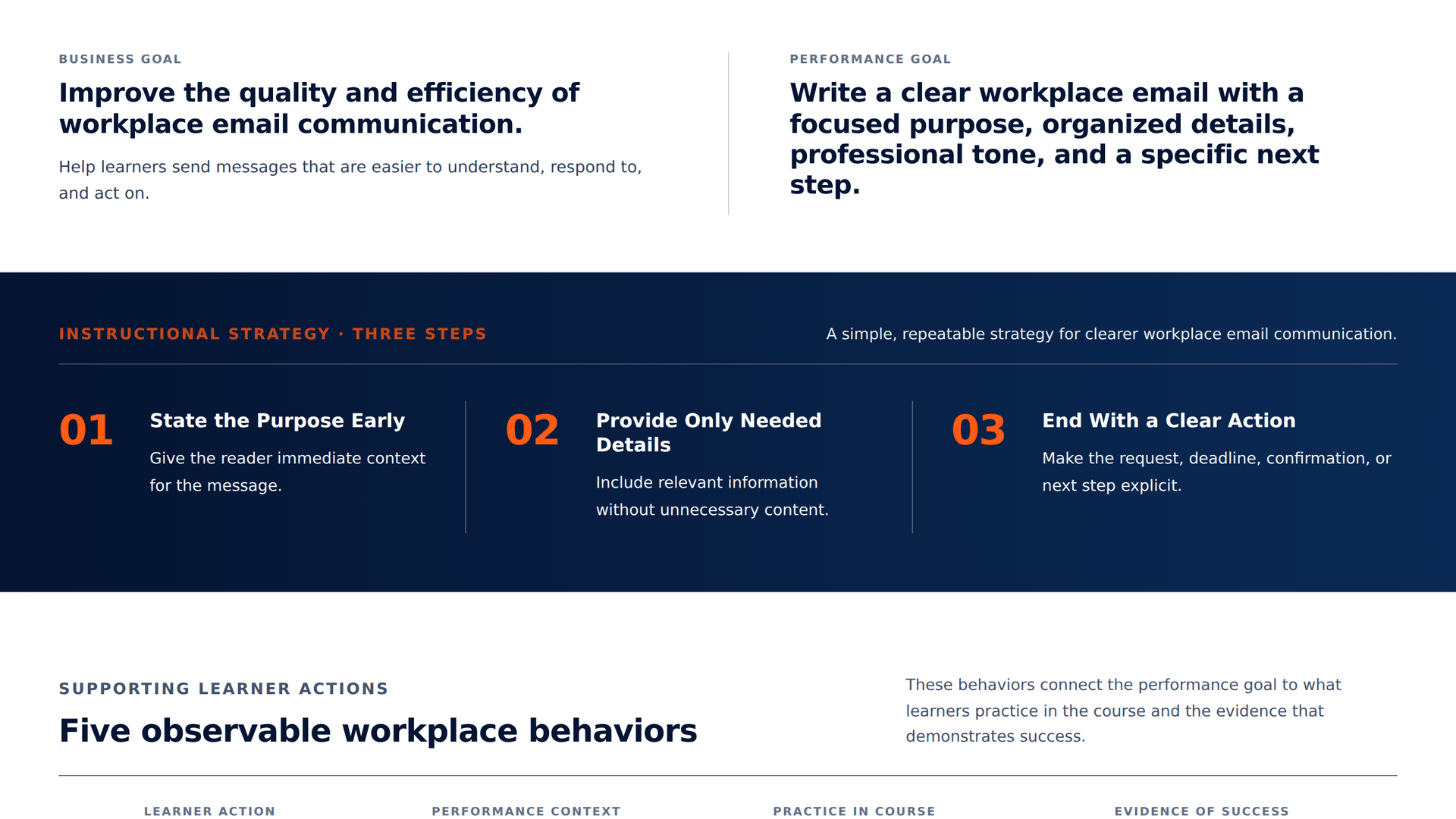
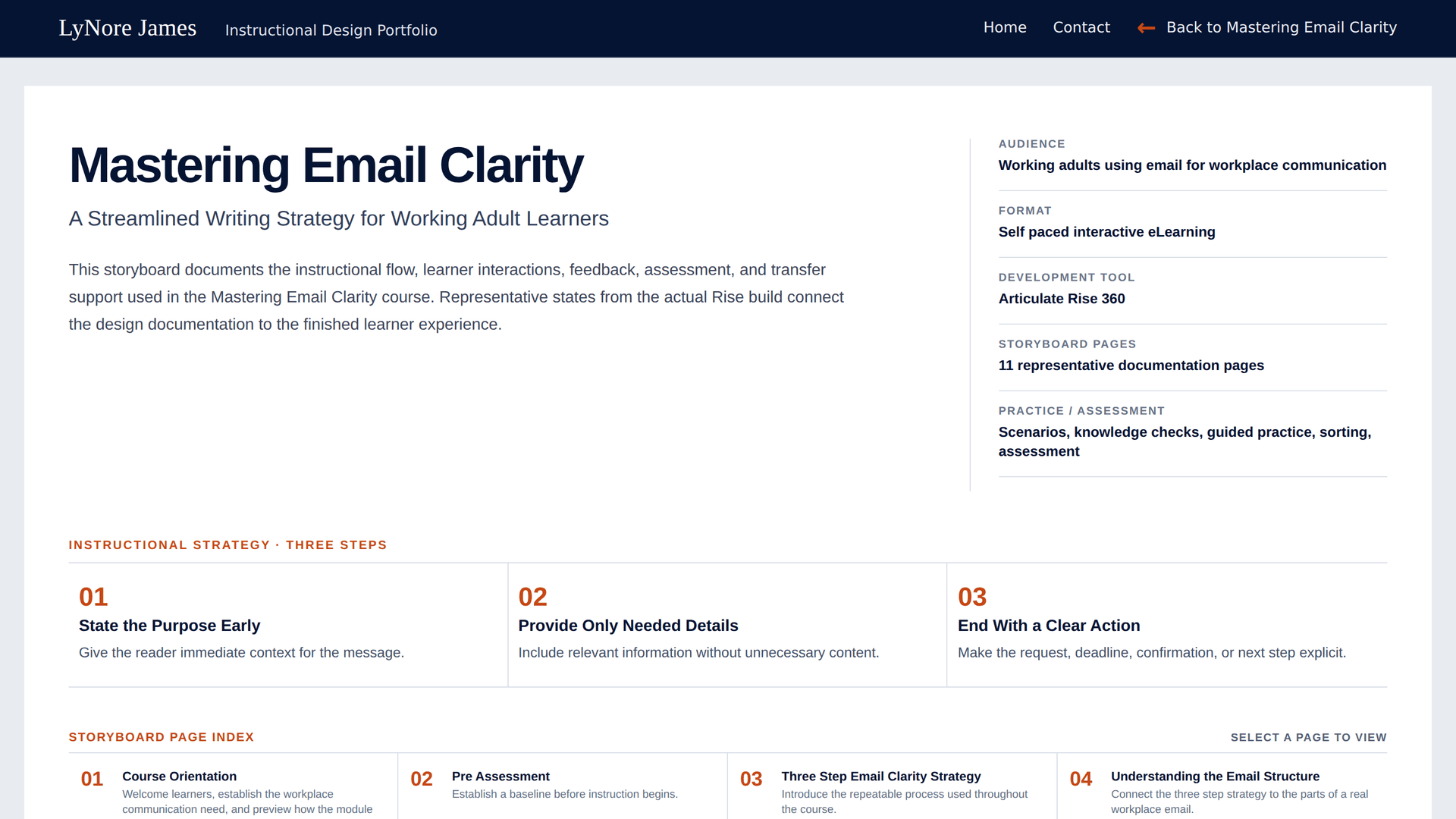
Before development, the workplace communication problem was translated into a specific performance goal and a set of behaviors learners could demonstrate. The Action Map connected the business need to the three step strategy and five supporting learner actions, while the Visual Storyboard mapped the instructional flow, learner interactions, feedback, visual direction, and development requirements.

Performance Strategy

Action Map

The map connects the business and performance goals to a three step email clarity strategy and five observable learner behaviors reinforced throughout the experience.

Mastering Email Clarity action map

Screen Level Design

Visual Storyboard

The storyboard translates the instructional strategy across 11 representative documentation pages, mapping screen purpose, learner content, interaction, feedback, visual direction, and development notes.

Mastering Email Clarity visual storyboard overview

Design Decisions Behind the Build

Intentional choices keep the learning practical and transferable.

One Repeatable Strategy

The course centers on three actions learners can remember during everyday work: state the purpose, provide the needed details, and end with a clear action.

Workplace Examples

Email drafts, delivery updates, meeting confirmations, and other familiar situations keep the learning grounded in tasks learners may encounter on the job.

Practice in Multiple Forms

Scenarios, knowledge checks, sorting, before and after examples, and guided review ask learners to recognize, choose, organize, and improve email content instead of only reading about effective writing.

Transfer Beyond the Course

A checklist, three step strategy card, and before and after examples give learners quick references they can return to while drafting or revising real workplace emails.

Designed Performance Outcomes

What the course is designed to support.

  • Identify the purpose of an email before writing
  • Select relevant information and remove unnecessary details
  • Organize the message with a clear opening, supporting details, and closing action
  • Use clear, professional wording appropriate for workplace communication
  • End with a specific request, deadline, confirmation, or follow up

Reflection

This project demonstrates my ability to turn a familiar workplace task into a focused performance based learning experience. Email communication can easily expand into a broad discussion of grammar, style, etiquette, and writing mechanics. I intentionally narrowed the experience to behaviors learners could recognize, practice, and apply immediately.

The design connects performance analysis, instructional strategy, scenario based practice, assessment, and job aids around one practical goal: help learners write emails that make the purpose, important information, and next step easier for the reader to understand.

Designed for clearer workplace communication.

The course gives working adults a simple, repeatable strategy for writing emails that establish the purpose, focus the details, and make the next step easy to understand.

Launch Course →